Showing posts with label Gameplay and Interactivity. Show all posts

Thursday, 7 April 2016

Cuppa Team - Final Thoughts and Summary

In the course of making our game, it all started off as shared ideas. What games we liked, and what could appeal to us? As said before, the space/sci-fi theme was a huge influence to our game project. And so we started narrowing down into charts and graphs about how we could go making our game. Narrative was something we really wanted, but we fell short of time as the game was very difficult to program.
But plenty of the rest of our work was organised into what each group member would do. Such as coding, drawing and modelling. They were also set with priorities of the highest and lowest.


The narrative/storyboard for our game can be found here.


Though still unfortunately, due to some difficulties, we could not incorporate the voice acting, some music and other assets we wished to include to broaden the narrative but it can still be found within the game.

However, we did manage the few things we wanted for our game, as well as the few that was not ours like the Asteroid and Enemy firing sound effect, which can be referenced from here.

The previous menu screen and gameplay had looked like this.


But thanks to the work of my teams mates, it had drastically changed to a more detailed output. Here are the final touches to the game as seen in these screen shots. The Game Over Sequence Still plays like before.


All in all, I felt this as the most challenging project to date. There was a lot of thought, hard work, creativity and trust was put through me and my team. I found it to be a tough but a much needed experience if I wish to continue through the gaming industry.


Particle Effects - Engine Fire

For the part, it was fairly simple to use. I created a particle system in the game project to act like the engine for the protagonist ship. I first tested it out on Unity in a small project, using the panel on the side to help tweak the emissions, colour, speed and size.


I then helped apply this on the game project, by adding it to the protagonists ship.


Spring Submisson - CuppaTeam

In my group of five, we went on to discuss what kind of game we would like to create together, and almost immediately the concept behind space was unanimous idea. I set out straight away to create a Moodboard of games that could help later on inspire our work through out our game, as see which assets we could go on with. We pitched in together a few we liked.


Some assets we wanted to incorporated was the menu screen similar to that of the game XCOM, which was interactive. Other than that, more than anything most of the sci-fi games helped set the tone of our work.


The one sheet written below was made by Joe and the more detailed version was made by Sam of our group.


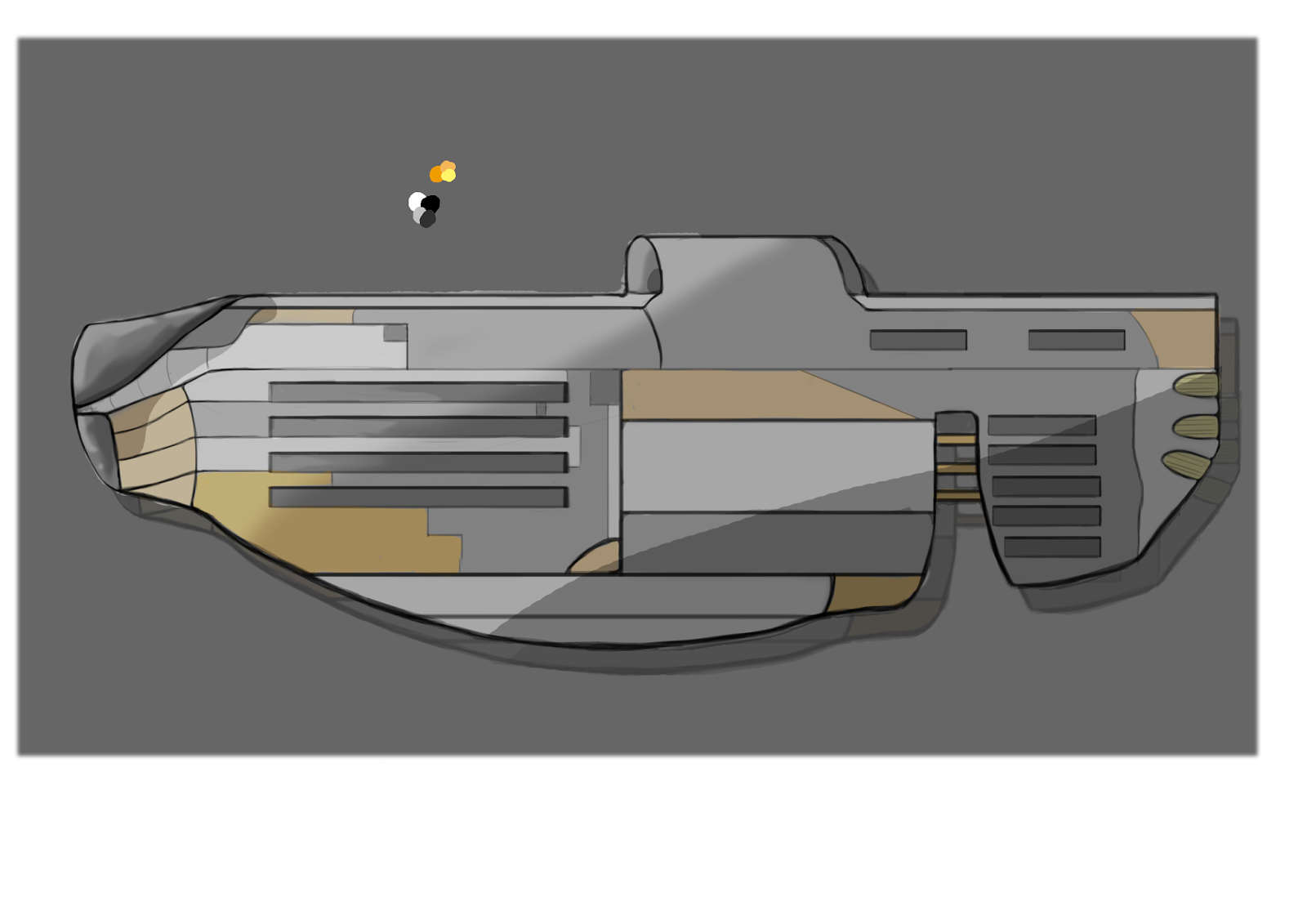
Spaceship Concept Art

 I helped with some creation into what could have been the protagonist spaceship, by first working with some designs inspired from my Moodboard. Games such as Raiden, Ratchet and Clank and Star Fox helped me think about what I wanted my design outcomes to be.


I then designed a few silhouette spaceships before presenting it to the rest of my team. 2 and 5 turned out to be most favorable, and would go on to help inspire the future Mothership and spaceship designs.


Music and Sound Effects for Group Project

For my group, I also went around searching for music and sound effects that would fit the theme of our game. Most of which was royalty free, and very little editing. Because of this, I explicitly stated where I had attained my music from in a document and dated when I had used them.


From websites such as


and


They helped set the mood and atmosphere we were trying to conceive in our game.

Mothership Concept Art

For my Spring submission on my group work, I helped design the protagonists Mothership. I started off with designing a Moodboard to help inspired me. Some of the work features Motherships from games like Starfox and Mass Effect, to series like Firefly.


I went on to design the Motherships, the idea being that it had to be huge and bulky to help accommodate the crew. I also made a inside look to how they might appear.


Tuesday, 29 March 2016

Glitch Effect

As part of my Spring group project, I was set to make the End/Game Over scene. As prior to our theme (a simulation) I thought it was fitting to add a glitch corrupted scene to fit the game. I first set myself up to create a moodboard.


The regular occurance of most of these Game Over screens show very bold and often than not blurred images, full of lines of codes that fill the page. I wanted to mirror this effect. I then set myself out to research how I could do this on Unity and came across this tutorial that provided me with the help and code I needed.


The coding involved using the cameras and depending on the layers, any images would have to be in Depth Only mode. The code also had to have the line using UnityStandardAssets.ImageEffects; to work, as well as importing effects from the Asset tab at the top.


The intensity of the glitch can also be easily adjusted. However, there is a possibility where the entire scene can break, and appear to have missing scripts and codes. In this instance, clicking the Reimport All in the Asset tab may fix this error. For this end scene, I provided a few backgrounds to suffice the scene, as well as premade fonts and audio to accompany the "error".


Tuesday, 8 March 2016

Asteroid Models

For my group project (Cuppa Team), I worked on modeling the Asteroids that would feature in the game. Firstly, I created a Moodboard in research for this.


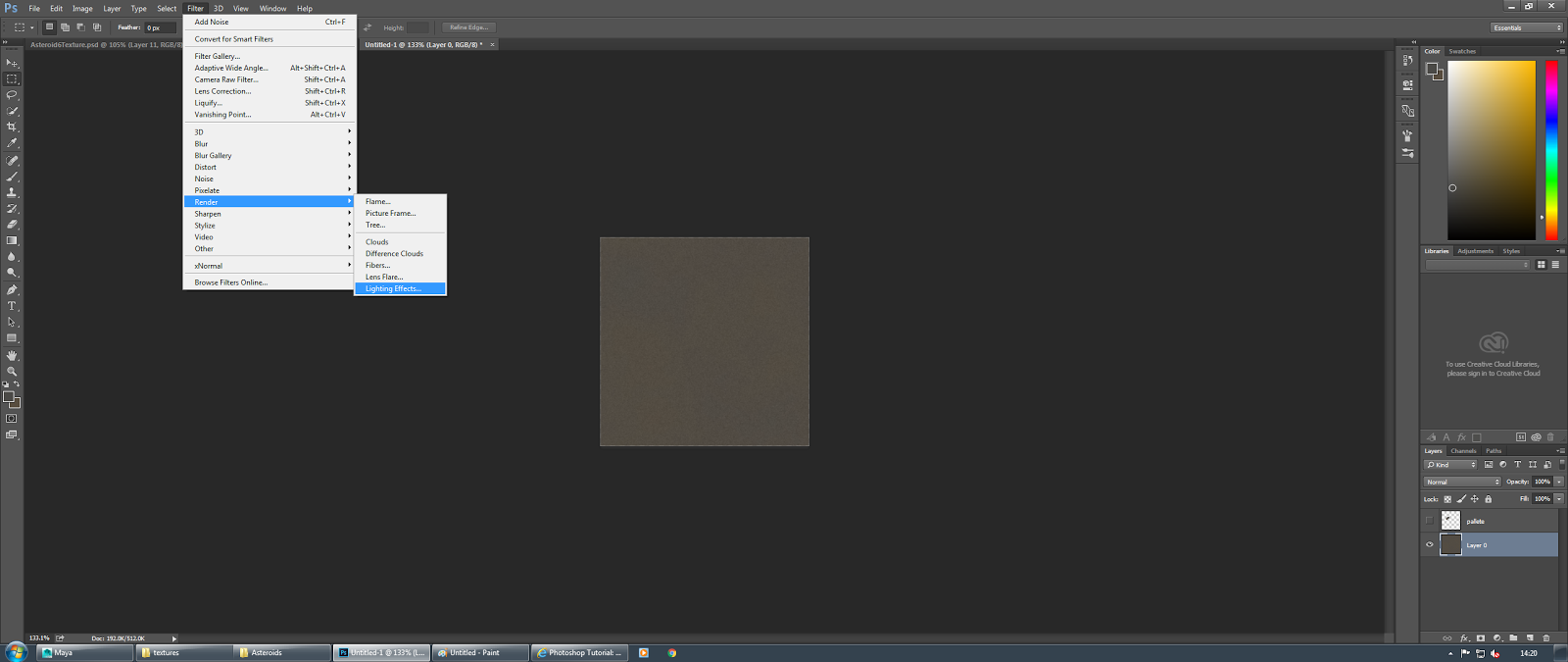
I designed the texture in Photoshop by selecting two dark colours. I then went to the filter window > Render > Clouds so that the two colours blended together in the background.


After that, I then added noise (also found in the filter window) by 1%. This makes the image appear grainy. I then switched to the Alpha Channels.


There, I added another layer before Rendering > Difference Clouds for around three times until the image appears dispersed and not so closely knit. I then once again added noise by 1%.


In the Edit window, I clicked on the Faded Add Noise with 50% opacity so the strength of the image was lessened to blend better.


Going back to the layers, I rendered with lighting effects and toggled with the lighting so that there was a delicate balence of light and dark on the image. I also made sure the texture was at Alpha 1 with a height of 5.


I finished this off with simply modeling a regular Asteroid that started out as a cube polygon, shaped it slightly before adding on this texture in a new lambert. At the bottom is the fully rendered texture that I made. 


I went on the making several Asteroids as a test run. All varying in shapes and size.


Shiny Master Sword - The Legend Of Zelda